The Ins and Outs of Small Business Payroll Processing
Make Small Business Payroll Processing Predictable
Small business payroll processing works best when you set one compliant pay schedule, keep employee and contractor records current, track hours and deductions in one system, and automate tax withholding and filings. Before each payday, review the payroll summary, approve payments, and save the records. This routine helps protect cash flow, pay people correctly, and reduce the risk of late tax deposits or reporting errors.
For a creative business owner, payroll should not become a monthly scramble between projects. The right workflow can combine direct deposits, time tracking, PTO, benefit deductions, contractor payments, and digital pay stubs in one place. That means less spreadsheet work and more confidence that federal, state, and local obligations are being handled on time.
I am Christian Brim, and I will walk you through how to build a payroll process that supports your team without distracting from the work you do best.
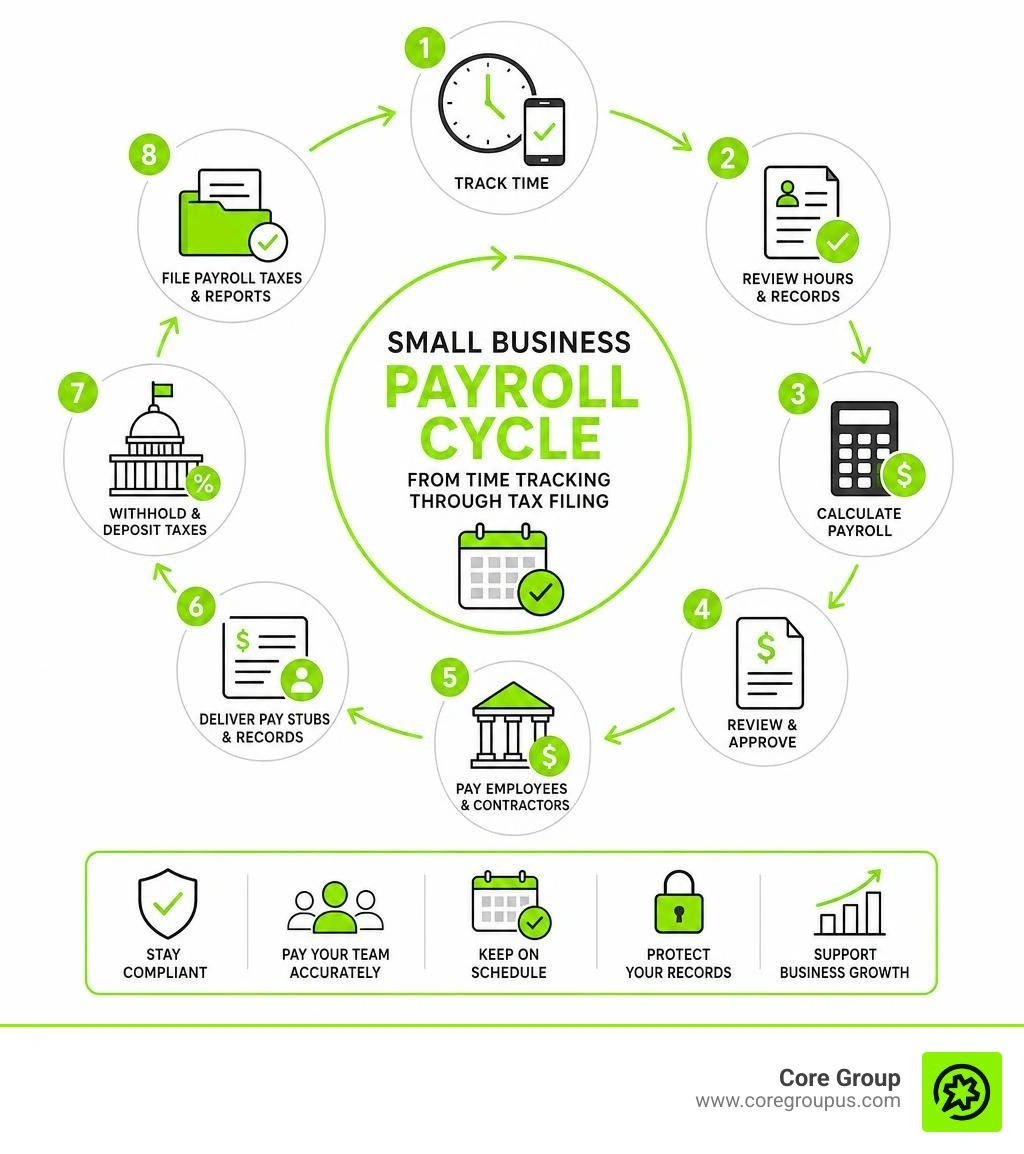
Small business payroll processing terminology includes
Core Foundations of Small Business Payroll Processing
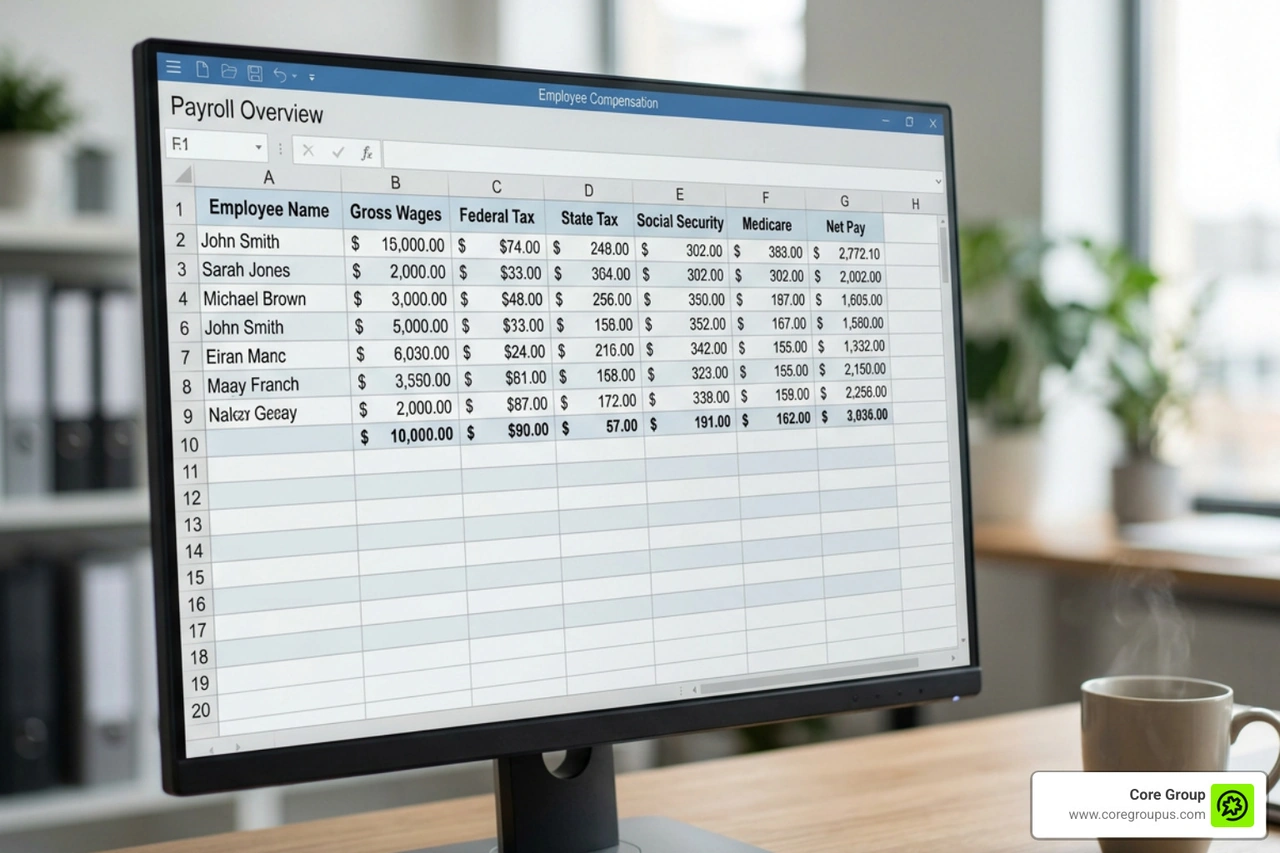
Mastering the mechanics of payroll begins with understanding gross pay versus net disbursements. Gross wages represent the total compensation earned by your workers before any withholdings occur. From that baseline, employers must calculate statutory deductions mandated by law alongside voluntary withholdings such as retirement contributions and health insurance premiums.
Processing wages manually on spreadsheets consumes valuable working hours and leaves the door open to human error. Even for small teams, manual calculations often eat up five to seven hours every single pay run. Automating these steps through modern platforms lets you distribute funds swiftly via payroll direct deposit, providing workers with electronic earnings statements while safeguarding cash flow.
Setting Up Your Small Business Payroll Processing Workflow
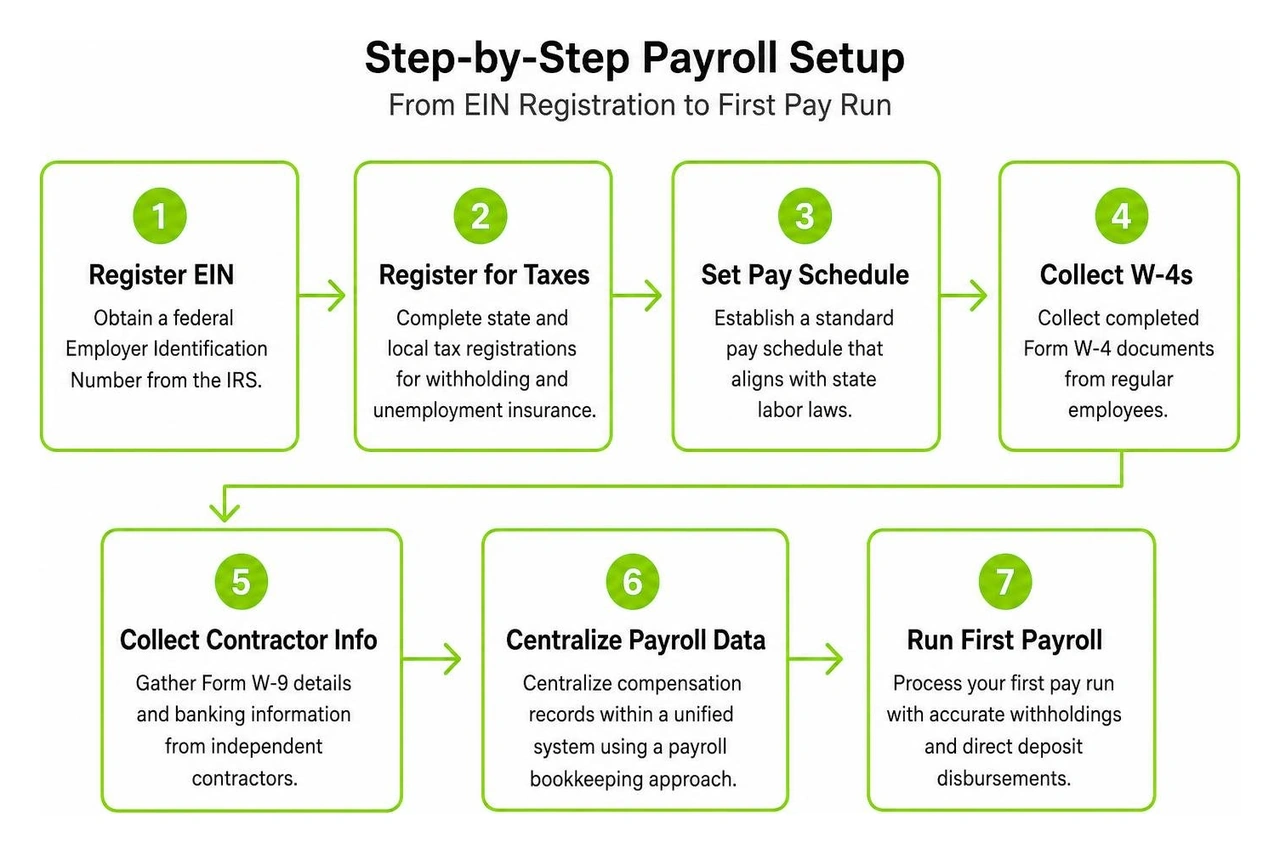
Building an efficient payroll infrastructure requires completing several essential operational tasks before your first disbursement.
- Obtain a federal Employer Identification Number from the Internal Revenue Service to establish your business tax entity.
- Complete state and local tax registrations for withholding and unemployment insurance in every state where your staff members work.
- Establish a standard pay schedule that aligns with applicable state labor laws, such as bi-weekly or semi-monthly cycles.
- Collect completed Form W-4 documents from regular employees to verify withholding allowances and personal tax details.
- Gather Form W-9 details and banking information from independent contractors.
- Centralize compensation records within a unified system by referencing a structured payroll bookkeeping guide.
Automating Tax Withholding and Quarterly Filings
Tax non-compliance remains one of the most expensive hazards for growing enterprises. Small business owners bear the legal responsibility for calculating, withholding, and remitting federal income tax, Social Security, and Medicare taxes under the Federal Insurance Contributions Act. Furthermore, employers must pay Federal Unemployment Tax Act contributions and local municipal taxes on time.
Modern automated platforms calculate these obligations dynamically during each pay cycle. Instead of tracking payment dates by hand, automated systems remit your tax liabilities directly to government repositories and generate required quarterly Form 941 reports along with annual Form 940 filings. Maintaining rigorous payroll tax compliance protects your company from statutory penalties and allows leadership to focus on client deliverables.
Comparing Payroll Management Models for Modern Companies
Determining the ideal operating model depends on your team size, available internal bandwidth, and long-term business goals. Creative agencies and small enterprises generally choose among self-service software, dedicated financial accounting partners, or professional employer organization arrangements.
| Operational Model | Primary Strengths | Cost Structure | Ideal Business Profile |
|---|---|---|---|
| Self-Service Software | Total administrative control and rapid execution | Low base subscription plus monthly per-worker fee | Solo operators and micro-businesses with basic needs |
| Dedicated Accounting Partner | Full compliance oversight, tax strategy, and book integration | Fixed monthly professional service retainer | Growing firms seeking peace of mind without hiring in-house staff |
| Professional Employer Organization | Access to enterprise group benefits and co-employment HR | High percentage of total payroll or high per-employee fees | Mid-sized companies prioritizing outsourced HR infrastructure |
Self-Service Platforms Versus Fully Managed Services
Self-service platforms appeal to early-stage businesses seeking budget-friendly solutions. These systems automate fundamental tax filings and direct deposits for an affordable entry price. However, the business owner remains responsible for approving hours, verifying classifications, and fixing filing discrepancies.
As creative businesses expand, delegating these duties to fully managed employee payroll services eliminates operational bottlenecks. Professional payroll specialists manage wage calculations, handle benefits sync, resolve agency notices, and align payroll entries directly with your general ledger.
Managing Small Business Payroll Processing for Remote Teams
Employing workers across state borders introduces complex multi-state withholding requirements. When you hire an out-of-state team member, your business creates physical tax nexus in that jurisdiction. This event mandates distinct state tax withholding registrations, local municipal accounts, and adherence to regional paid family leave programs.
Using cloud-based tools ensures that tax calculations apply the correct localized rates automatically. Reviewing operational best practices for payroll compliance for remote teams helps distributed organizations avoid compliance pitfalls across varied state tax codes.
Essential Strategies to Prevent Costly Payroll Errors
Implementing automated pre-payroll validations helps eliminate preventable calculation errors before money leaves your company accounts. Intelligent software can flag missing time punches, unusual overtime hours, or duplicate entries in real time, saving your business from messy off-cycle corrections.

Worker misclassification presents another severe legal risk for creative firms. Treating true staff members as 1099 contractors instead of W-2 employees can trigger back taxes, interest charges, and substantial wage audit penalties. Integrating your time tracking software directly through a clean payroll integration with QuickBooks creates a reliable, transparent record of all working hours.
Streamlining Benefits and Leave Tracking
Centralizing employee perks inside your primary payroll software prevents disconnected administrative tasks.
- Retirement plans. Automate employee pre-tax and Roth 401k deductions alongside employer matching contributions.
- Healthcare programs. Sync employee premium portions for medical, dental, and vision coverages directly with payroll runs.
- Paid time off. Manage holiday pay, sick leave, and personal PTO balances with transparent employee self-service access.
- Workers compensation. Use pay-as-you-go insurance models that base premium payments on real-time payroll data, removing heavy upfront annual deposits.
Executing a Smooth Mid-Year Payroll Provider Transition
Switching payroll platforms midway through a calendar year is entirely achievable with careful data preparation. The central requirement is maintaining unbroken historical wage data for every active and separated worker.
When migrating platforms, export your complete year-to-date gross wages, tax withholdings, and opening balances. Ensuring that historical quarterly filings match your new system numbers guarantees that end-of-year Form W-2 and Form 1099 filings remain fully accurate and penalty-free.
Frequently Asked Questions About Payroll
How Much Does Small Business Payroll Typically Cost?
Standard self-service payroll software usually charges a base monthly subscription of 40 to 50 dollars alongside a variable per-employee fee of 6 to 10 dollars each month. Some basic packages include automated quarterly tax filings and direct deposits, while advanced tiers add specialized HR tools and dedicated phone support.
Businesses should also watch out for potential hidden expenses. Some providers charge extra fees for processing off-cycle payroll runs, generating year-end W-2 and 1099 tax forms, registering new state tax accounts, or integrating with specialized timecard systems.
How Do You Handle Payroll for Only One Employee?
Running payroll for a single worker requires the same formal infrastructure as managing a larger team. The business must collect a signed Form W-4, establish an official pay schedule, withhold appropriate statutory taxes, and submit quarterly payroll returns to federal and state agencies.
For solo entrepreneurs operating as an S Corporation, running formal payroll is a strict legal necessity. IRS regulations require corporate shareholder-employees to draw a reasonable salary for their operational work before taking corporate profit distributions. Automating this single-person payroll run guarantees consistent tax withholdings throughout the entire year.
What Is the Difference Between W-2 and 1099 Payroll Calculations?
The primary distinction lies in statutory tax withholding obligations.
- W-2 Employees. Employers must calculate and deduct income taxes, FICA withholdings, and state disability contributions from gross wages. The business also pays an employer matching share of Social Security and Medicare taxes.
- 1099 Independent Contractors. Businesses disburse gross contract earnings directly without deducting taxes. Contractors are independent business entities responsible for paying their own self-employment and income taxes.
Conclusion
Building an accurate, automated payroll process protects your creative business from unexpected tax liabilities while ensuring your team gets paid reliably on every cycle. Removing manual spreadsheet calculations and centralizing benefits, time tracking, and tax filings frees up valuable creative energy for high-impact client projects.
At Core Group, we provide a no-fluff playbook that gives creative entrepreneurs total financial peace of mind. Our team helps you optimize every corner of your financial operations, backed by our clear commitment to saving you time and protecting your hard-earned profits. To explore how our team can help you build an efficient financial foundation, visit our comprehensive small business payroll guide.